As the world of live events continues to evolve, organizers are seeking more innovative ways to engage their audiences and create lasting impressions. One of the most effective ways to achieve this is through the use of Moveable Event Rental LED Displays. These versatile, high-definition screens are an essential tool for making events stand out, from concerts and corporate conferences to trade shows and festivals. Setting up and using these displays effectively can elevate your event’s visual experience. This article will walk you through the necessary steps for setting up a Moveable Event Rental LED Display, ensuring your event achieves maximum impact.
Before diving into the technical aspects, it's essential to understand how to leverage a Moveable Event Rental LED Display to its fullest potential. Whether you’re looking to provide a stunning backdrop for a stage, create interactive elements for attendees, or enhance a live streaming experience, planning and strategy are critical. The following sections provide detailed guidance on how to ensure the successful use of these displays for your event.
The first step in setting up a Moveable Event Rental LED Display is to clearly define your event goals. What is the purpose of the display? Are you aiming to boost brand visibility, create an immersive experience for your audience, or broadcast live content to attendees? By answering these questions, you can determine the best way to integrate the display into your event strategy.
Start by considering what you want to achieve with the display. For example, if you’re hosting a corporate conference, your goal may be to showcase your brand in the most professional and eye-catching manner. On the other hand, for a music concert or festival, the primary objective might be to create an engaging, immersive experience that captivates the audience.
Understanding the layout of the venue is essential for determining where to position the display. Whether it's a large arena or a smaller, intimate venue, the placement of your Moveable Event Rental LED Display should optimize visibility for the entire audience. Additionally, consider the viewing distances to ensure the display size and pixel pitch are appropriate for the audience.
The pixel pitch, or the distance between pixels on the screen, is crucial for ensuring the best visual quality. For close-up viewing, a smaller pixel pitch is necessary to deliver sharp images. Larger displays designed for a broader audience can use a slightly larger pixel pitch without sacrificing visual quality. Aligning the pixel pitch with the viewing distance will help you achieve the best clarity.
Once you’ve planned your display strategy, it’s time to prepare the hardware for installation. This process includes transporting the display, assembling the panels, and ensuring that the display is safely set up for use during the event.
Proper handling and transportation of the Moveable Event Rental LED Display are crucial to avoid any damage during transit. Panels should be securely packed in protective materials to prevent scratches, dents, or other issues that may affect their performance. Upon arrival at the venue, it's essential to follow best practices for unloading, ensuring that all components are handled with care.
Assembling the Moveable Event Rental LED Display involves connecting modular panels together using quick-lock systems. These systems are designed for fast, tool-free assembly, making the process smooth and efficient. Each panel must be securely locked into place to create a stable display structure. This setup should be done with precision to ensure that the display is level and secure for use.
Ensuring the safety of the display is a top priority. The panels should be securely connected to prevent any shifting during the event. Additionally, the display must be properly leveled to avoid any visual distortion. Many rental LED systems come with built-in leveling tools to help achieve a perfectly flat setup. Regular checks should be made throughout the installation process to guarantee that all connections are firm and the structure is stable.
Now that the hardware is set up, the next step is connecting the power and control systems to the Moveable Event Rental LED Display. This stage ensures that the display has the necessary power to run and that the content can be managed efficiently.
To prevent any disruptions during the event, it's crucial to have a reliable power source. For large displays, it’s recommended to have backup power options, such as generators or UPS (Uninterruptible Power Supply) systems, in case of electrical failures. Power planning ensures that the display will function without interruption throughout the event.
The control system for a Moveable Event Rental LED Display includes a control box and video processor, both of which are necessary for managing the display’s content. The control box is responsible for connecting the LED display to video sources, while the video processor ensures the content is displayed correctly across multiple panels. Properly configuring these systems ensures that content is displayed seamlessly across the entire screen.
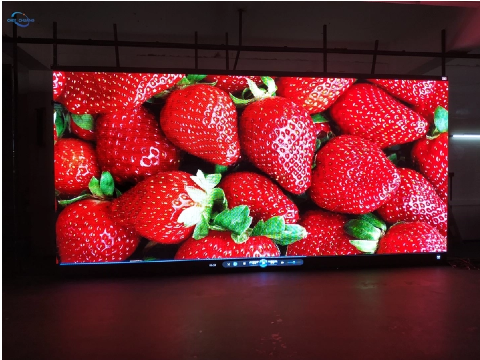
Once the hardware is in place, the next step is to set up the content management and playback systems. This involves ensuring that your content is ready to be displayed on the Moveable Event Rental LED Display and configuring the necessary systems to handle the playback.
The LED display will require specific file formats for content playback. Common formats include video files (such as MP4 or AVI) and image files (such as JPEG or PNG). It’s essential to verify that all content is in the appropriate format before the event to avoid any playback issues.
If the Moveable Event Rental LED Display consists of multiple panels, video mapping is necessary to ensure that the content is aligned correctly across the entire screen. This step ensures that visuals are displayed seamlessly across all panels, creating a cohesive experience for the audience.
Before the event begins, testing and calibration of the Moveable Event Rental LED Display are essential to ensure optimal performance. This includes adjusting the brightness and colors for the venue’s lighting conditions and syncing the display with any audio systems.
To ensure that the display looks its best, it’s crucial to calibrate the brightness and color settings. For outdoor events, the display will need to be brighter to stand out against natural light, while indoor events may require more subdued settings. Color calibration is also important to ensure that the content looks vibrant and true to life.
If the LED display is being used in conjunction with live audio, it’s essential to sync the visuals with the sound. This step ensures that any videos, music, or live content are perfectly aligned with the audio cues, creating a cohesive and immersive experience.
During the event, it’s important to remain vigilant for any technical issues that may arise. Common issues include loose panels, screen flickering, or power dips. Having a technician on-site who is familiar with the Moveable Event Rental LED Display system can help resolve issues quickly and minimize downtime.
To avoid common problems such as flickering or screen distortion, make sure the panels are securely locked in place, and the power supply is stable. Regularly check the system for any signs of damage or malfunction.
If an issue arises during the event, quick fixes are essential. For example, if a panel becomes loose, it can be re-secured without disrupting the entire display. Keeping spare components on hand, such as cables and connectors, ensures that any issues can be quickly addressed.
Setting up and using a Moveable Event Rental LED Display can significantly enhance the impact of your event. By following the proper installation, calibration, and troubleshooting procedures, you can ensure that your event runs smoothly and leaves a lasting impression on your audience. The Moveable Event Rental LED Display offers flexibility, high-quality visuals, and seamless integration into any event, making it an invaluable tool for event organizers. To learn more about how CHEE CHUANG’s Moveable Event Rental LED Display can elevate your next event, contact us today!
Q1: How do I choose the right pixel pitch for my event?
A: The right pixel pitch depends on the viewing distance. For smaller venues, a finer pixel pitch is recommended to ensure sharp visuals, while larger displays can use a coarser pixel pitch.
Q2: Can I use a Moveable Event Rental LED Display for both indoor and outdoor events?
A: Yes, these displays come in both indoor and outdoor versions, with different specifications for brightness and weather resistance.
Q3: How long does it take to set up a Moveable Event Rental LED Display?
A: Setup time can vary depending on the size and complexity of the display, but most systems can be installed within a few hours.
Q4: What should I do if I encounter technical issues during the event?
A: Have a technician on-site who is familiar with the system, and keep spare components available to address any issues quickly.