Corporate audio-visual standards have radically transformed in recent years. Traditional projectors and bezel-heavy LCDs fall short of current expectations. Modern, well-lit boardrooms demand superior visual clarity, especially for hybrid video conferencing. Decision-makers now face a heavily saturated market of display options. Many struggle to balance optimal pixel pitch, strict budgets, and physical structural limits. Long-term maintenance requirements often further complicate these high-stakes investments. Choosing the wrong display can disrupt critical executive meetings and delay remote collaboration. We provide a vendor-neutral, engineering-led framework to evaluate these complex systems thoroughly. You will learn how to accurately specify an indoor led screen for your exact architectural space. This targeted approach guarantees verifiable returns through reliable daily operation. It also ensures unmatched presentation clarity for every in-room and remote participant. Read on to master the essential technical nuances of modern boardroom displays.
Viewing Distance Dictates Cost: Selecting a fine pitch led panel requires precise alignment with the closest viewer to avoid over-specifying and overspending.
Seamless Integration Overcomes LCD Flaws: LED eliminates the bezel interruptions of LCD video walls, ensuring data-heavy presentations and spreadsheets remain legible.
Installation Realities Matter: Front-serviceable cabinets and proactive thermal management are non-negotiable for enclosed conference environments.
Sourcing Strategy: Partnering directly for an OEM indoor led display ensures custom sizing, tailored aspect ratios (e.g., 21:9 for Microsoft Teams Rooms), and guaranteed component consistency over time.
Legacy systems fail to meet modern communication standards. Traditional projectors struggle heavily in high ambient light. They produce washed-out colors. They also cast distracting shadows when presenters move across the room. LCD video walls present entirely different problems. Thick grid lines disrupt the digital content. They break up intricate spreadsheets and cut across faces during video calls. These visual interruptions cause fatigue. They distract viewers from the core message.
Direct-view technology solves these fundamental issues entirely. It offers a true zero-bezel design. You get seamless data visualization across the entire wall. It maintains stunningly high contrast even in exceptionally bright rooms. An indoor conference led display keeps deep blacks and vivid saturation intact. You never have to dim the room lights again. This keeps participants alert. It also ensures cameras capture well-lit environments for remote attendees. A unified visual canvas drastically improves the overall meeting experience.
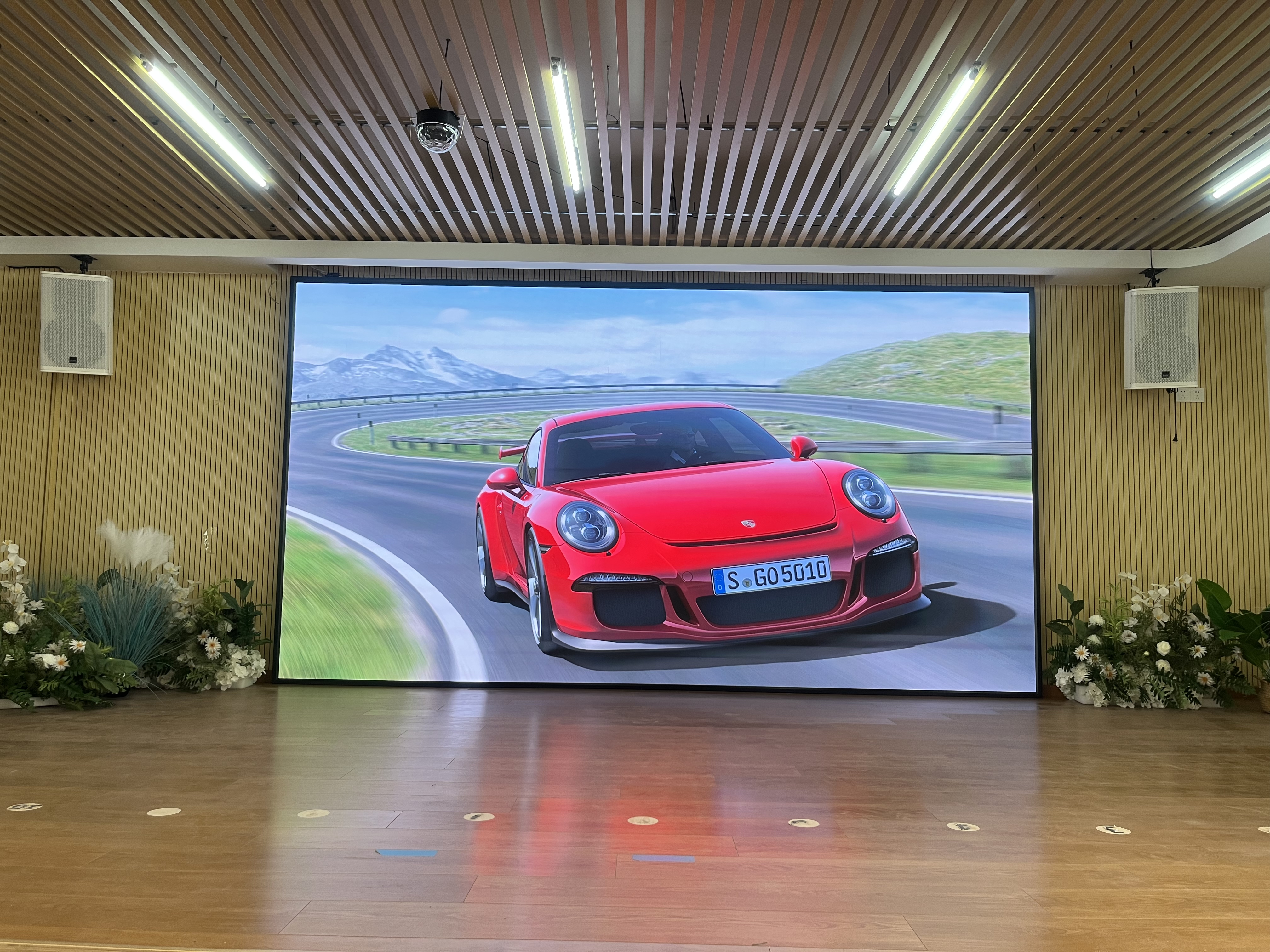
Pixel pitch determines image clarity. It measures the physical distance between individual diode clusters. Common options include P1.2, P1.5, P1.8, and P2.5. Industry professionals use a simple rule of thumb for these installations. They allocate one millimeter of pitch per meter of viewing distance.
Consider a room where the nearest chair sits three meters away. You need a P3.0 pitch at minimum. A P1.5 screen provides premium clarity in this same space. Avoid overpaying for sub-1mm pitches unnecessarily. If viewers sit 10 feet away, ultra-fine pitches waste resources. Align the specifications closely with your room layout. Selecting the right fine pitch led panel ensures optimal viewing without diminishing visual returns.
Meeting formats dictate screen dimensions. The standard 16:9 ratio works well for basic slide presentations. However, emerging 21:9 ultra-wide formats better serve modern hybrid meetings. They accommodate remote attendee galleries alongside active presentation decks. Platforms like Microsoft Teams Front Row rely heavily on this wider layout.
Scalability matters greatly for premium environments. Large-scale corporate auditoriums require massive dimensions for legibility. Modernizing hotel conference spaces demands entirely different configurations. Tailor the aspect ratio to your specific software usage. A properly proportioned layout drastically improves team collaboration.
Modern meetings rely on continuous video recording and streaming. Cameras easily pick up screen flickering. A refresh rate of ≥3840Hz is mandatory. It prevents distracting banding during recorded sessions. It also ensures smooth live broadcasts. Low refresh rates cause severe eye strain over time. They make professional environments look poorly equipped.
Indoor displays do not need outdoor brightness levels. We recommend 600 to 800 nits for corporate spaces. This range easily overcomes natural sunlight from windows. High grayscale accuracy remains equally vital. Aim for 14-bit to 16-bit processing. It maintains rich details when you turn the overall brightness down. Poor grayscale causes blocky shadows and muddy gradients. Proper specifications prevent visual fatigue during long meetings.
Displays age over time. Diodes naturally lose peak brightness over thousands of hours. A full color led screen requires module-level calibration. This prevents patchy color discrepancies across the wall. Advanced systems store calibration data directly on the receiver card. When you swap a module, it seamlessly matches the surrounding panels. Consistent color reproduction builds a highly professional corporate image.
| Specification Metric | Recommended Target | Primary Business Impact |
|---|---|---|
| Refresh Rate | ≥3840Hz | Prevents camera flicker during video conferencing and broadcasting. |
| Brightness | 600–800 nits | Overcomes ambient daylight without blinding meeting participants. |
| Grayscale Accuracy | 14-bit to 16-bit | Retains visual detail and shadow depth when screen is dimmed. |
Displays carry significant weight. You must carefully assess your wall structural integrity. Traditional drywall cannot always support large configurations. Glass partitions present even tougher mounting challenges. You face three primary structural risks when mounting displays:
Wall Integrity: Standard drywall flexes under heavy loads.
Space Constraints: Rear access wastes premium square footage.
Thermal Loads: Enclosed rooms trap expelled heat quickly.
Wall-mounted solutions work best on reinforced surfaces. Floor-standing brackets provide an excellent alternative for weaker walls. They transfer the load directly to the floor structure. Always consult a structural engineer before committing to a mounting style.
Corporate spaces prioritize valuable square footage. Rear-service screens require a dedicated catwalk behind the wall. This wastes premium office space. Argue strictly for 100% front-maintenance designs. Technicians can remove modules using a simple magnetic vacuum tool. This keeps the footprint tight against the wall. It also speeds up emergency repairs during critical boardroom sessions.
Large screens generate heat. Enclosed conference rooms amplify this effect. You must address heat output proactively. Assess your current HVAC capabilities. Ensure the system can handle the added thermal load. Executive boardrooms often run mission-critical meetings. A power failure ruins the presentation. Outline the need for redundant power supplies. Dual power inputs prevent disastrous blackouts. They keep the screen running even if one circuit trips.
Standard sizes rarely fit perfectly. An OEM partner manufactures custom cabinet sizes. They tailor the frame to fit exact architectural niches. They can also match legacy AV recesses left by old video walls. This precise fit creates a clean, architectural finish.
Buying off-the-shelf from third-party vendors carries huge risks. You often receive mixed LED batches. Different batches age differently. They lead to severe color variations across the display. OEM procurement guarantees a single bin of LED diodes. Every pixel originates from the exact same manufacturing run. This ensures absolute uniformity. An OEM indoor led display safeguards your visual investment over the years.
Corporate IT and facilities departments enforce strict rules. You must verify essential safety and electrical certifications. CE, FCC, RoHS, and ETL marks remain mandatory. Uncertified equipment poses severe fire risks. It also voids corporate insurance policies. Secure these documents early in the planning phase.
A successful rollout relies on precise planning. You must match pixel pitch directly to room geometry. Prioritizing front-serviceable architecture guarantees long-term usability. Upgrading your AV standard instantly elevates the meeting experience. It bridges the gap between local and remote participants.
Take action before requesting pricing quotes. We recommend completing the following critical steps:
Conduct a thorough site survey to measure ambient room light levels.
Map out the exact structural wall dimensions and load capacities.
Calculate the critical viewing distance from the display to the nearest seat.
Request technical drawings from manufacturers based on these precise metrics.
Armed with this data, you can confidently engage vendors. You will specify a display that performs flawlessly under pressure.
A: For a typical 20-person space, viewers sit roughly 3 to 5 meters away. Following the general viewing distance rule, a pixel pitch between P1.5 and P1.8 works best. It delivers sharp text and crisp images without overspending on ultra-fine pitches.
A: Modern displays use common cathode technology, which drastically reduces heat dissipation. Older systems ran notoriously hot. Newer panels remain highly efficient. They often produce less ambient heat than large, multi-screen LCD video walls. This efficiency makes room climate control much easier to manage.
A: Yes, these displays act exactly like standard monitors. They utilize dedicated controllers and video processors to scale the image. You can seamlessly connect HDMI or DisplayPort inputs from any existing AV infrastructure. This includes Cisco codecs or dedicated Zoom Room PCs.
A: Lead times generally range from 4 to 8 weeks. The exact schedule depends heavily on engineering complexity and custom sizing requirements. Manufacturing a single-batch diode run takes substantial time. You must also factor in subsequent international shipping and customs clearance.